Tweet counter and hashtag counter for X
How to see how many tweets a hashtag has, how many accounts posted them and when. What a tweet counter measures, and why X search never shows you the total.
How many tweets has the hashtag had? Anyone who has had to answer that in a meeting knows the feeling. You open X, you search, you scroll, and at some point you realise there is no number anywhere on the screen. Let's see how to count how many tweets/posts in a hashtag.
There is no counter built into X. What there is, is a way to get the total properly, and a few decisions you have to make first, because "how many tweets" turns out to be three different questions wearing one coat.
How to see how many tweets a hashtag has
Four steps, and the order matters.
Write the query first. A hashtag on its own is rarely what you mean, so decide whether you also want the people who typed the words without the hash. Our query builder assembles this without you memorising anything.
#YourHashtag
#YourHashtag OR "your hashtag"
Pick the date range second. A hashtag that ran for a weekend and a hashtag that has been running since March are different jobs, and the range is what decides the size of the count.
Decide about retweets third, which is the part most people skip. Then run it and read the total next to the number of accounts, because one of those numbers without the other tells you very little.
Why X search cannot give you the total
Search shows you tweets. It never shows you how many there were.
Results arrive in whatever order X decides, and since 2026 retweets no longer appear in search as separate posts. You can scroll and count by hand, and plenty of people have. Past a few hundred the count quietly turns into a guess, and anyone who repeats the exercise gets a different answer.
Getting every matching tweet in one place means the official API, used inside the Twitter compliance rules. That is the only way a tweet count is a count rather than an estimate.
Decide what you are counting
Original tweets, replies, quotes and retweets are different acts. A number that mixes all four answers nothing in particular.
#YourHashtag -is:retweet
#YourHashtag -is:retweet -is:reply
#YourHashtag OR "your hashtag"
The first line counts what was said. The second counts only fresh posts, which is what you want when the replies are mostly people arguing with each other. The third catches everyone who wrote the words and forgot the hash, and for some campaigns that is a surprising share of the total. The operators that still work are listed in our guide to Twitter advanced search.
Retweets are the one choice Hash Tracker makes for you. Every report leaves them out, because a retweet carries the numbers of the original tweet and counting both would count the same thing twice.
Hashtag counter against tweet counter
The two words get used as if they meant the same thing, and for most of the job they do. The difference is what sits inside the query.
A hashtag counter counts posts carrying one tag. A tweet counter counts whatever you describe, which can be a hashtag, a keyword, a phrase, a link, an emoji, an account or several of those at once. The second is the general case and the first is one shape of it, which is why the same report handles both.
If what you need is how many times a hashtag was used on Twitter across a campaign, you are after the hashtag count plus the date range plus the retweet decision. Those three together are the answer. Any one of them on its own is a number without a meaning.
Counting tweets against counting people
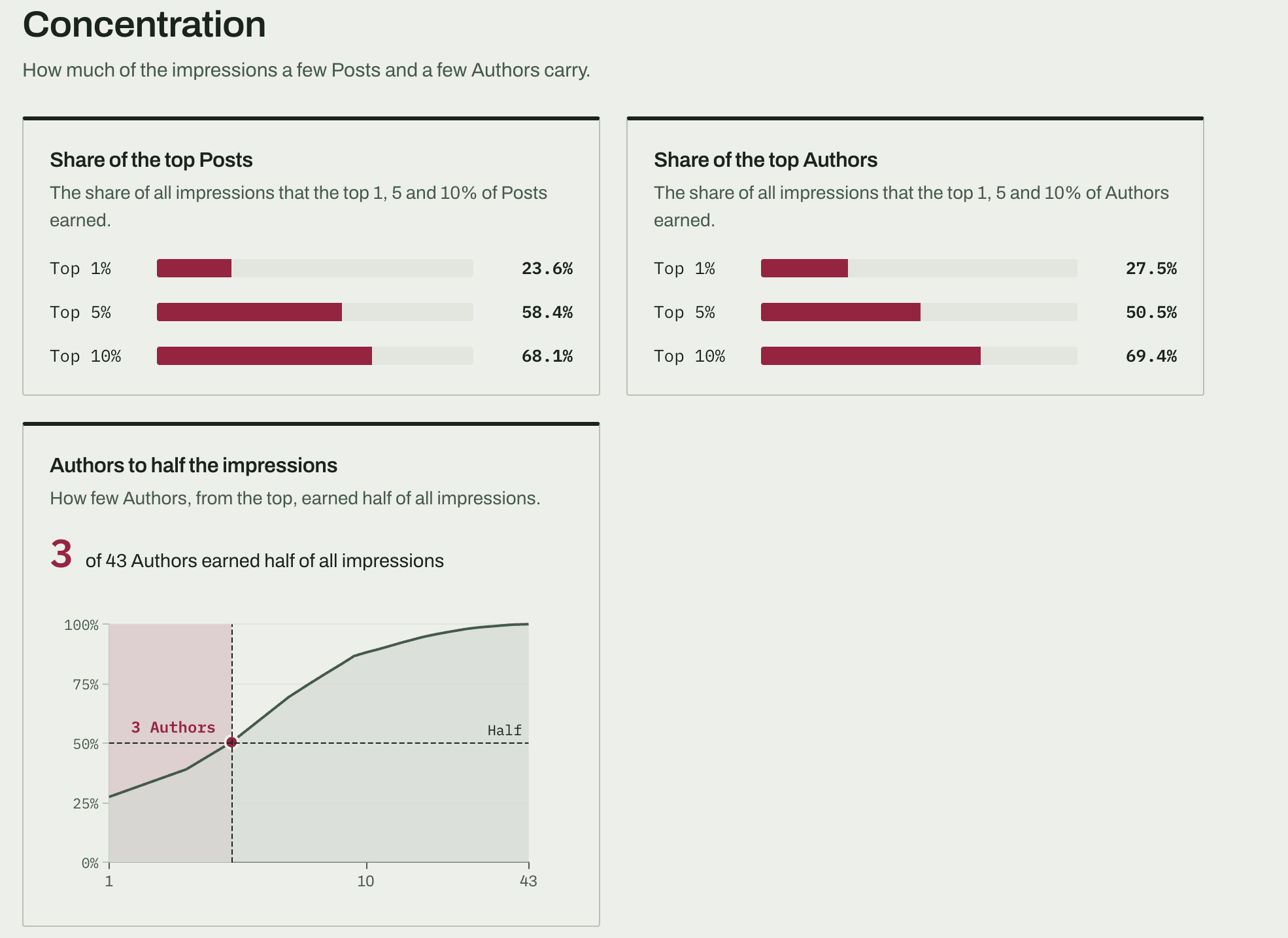
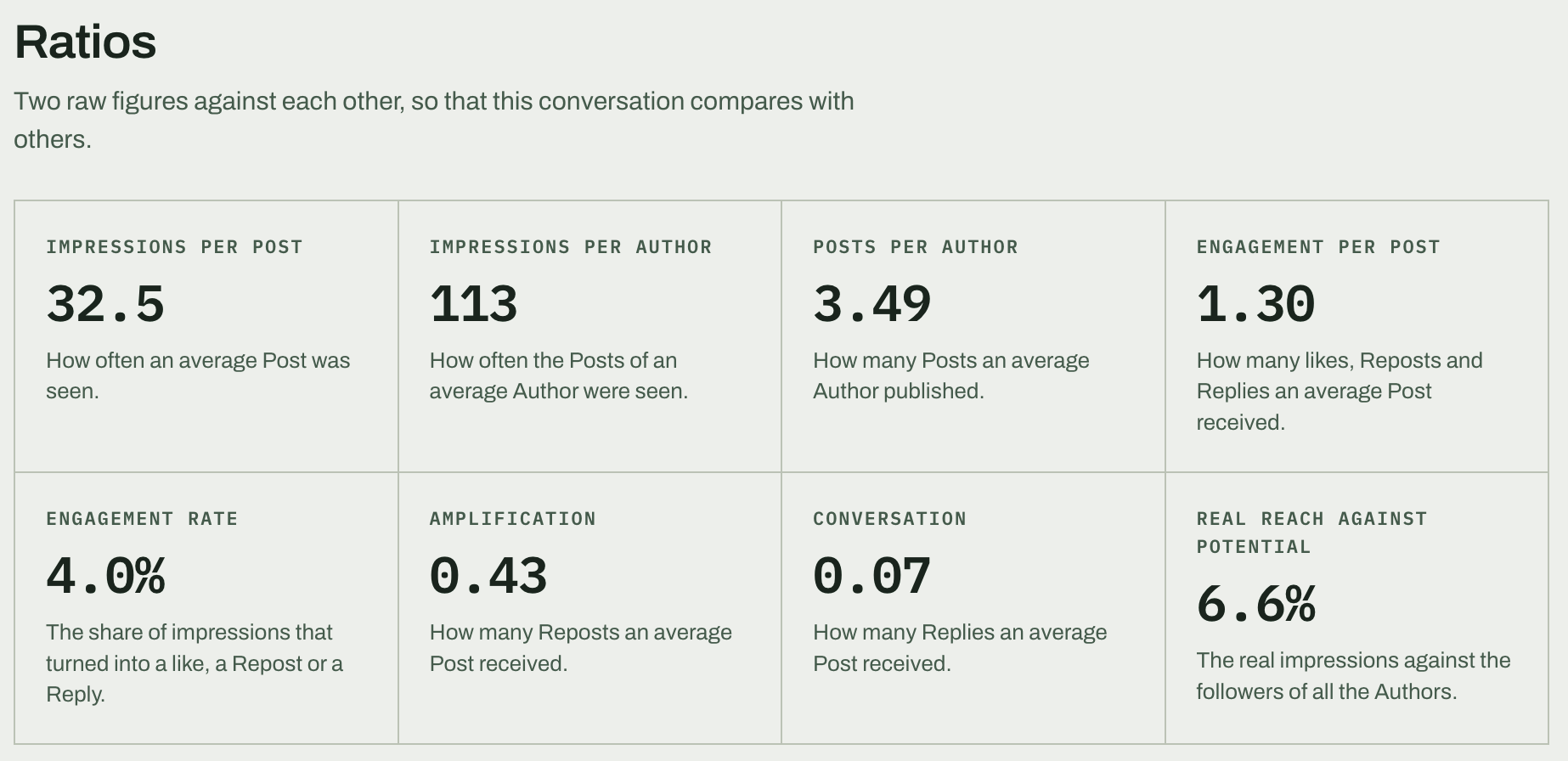
Five thousand tweets can come from five thousand people or from forty very busy accounts. The tweet count is identical. The story is not.
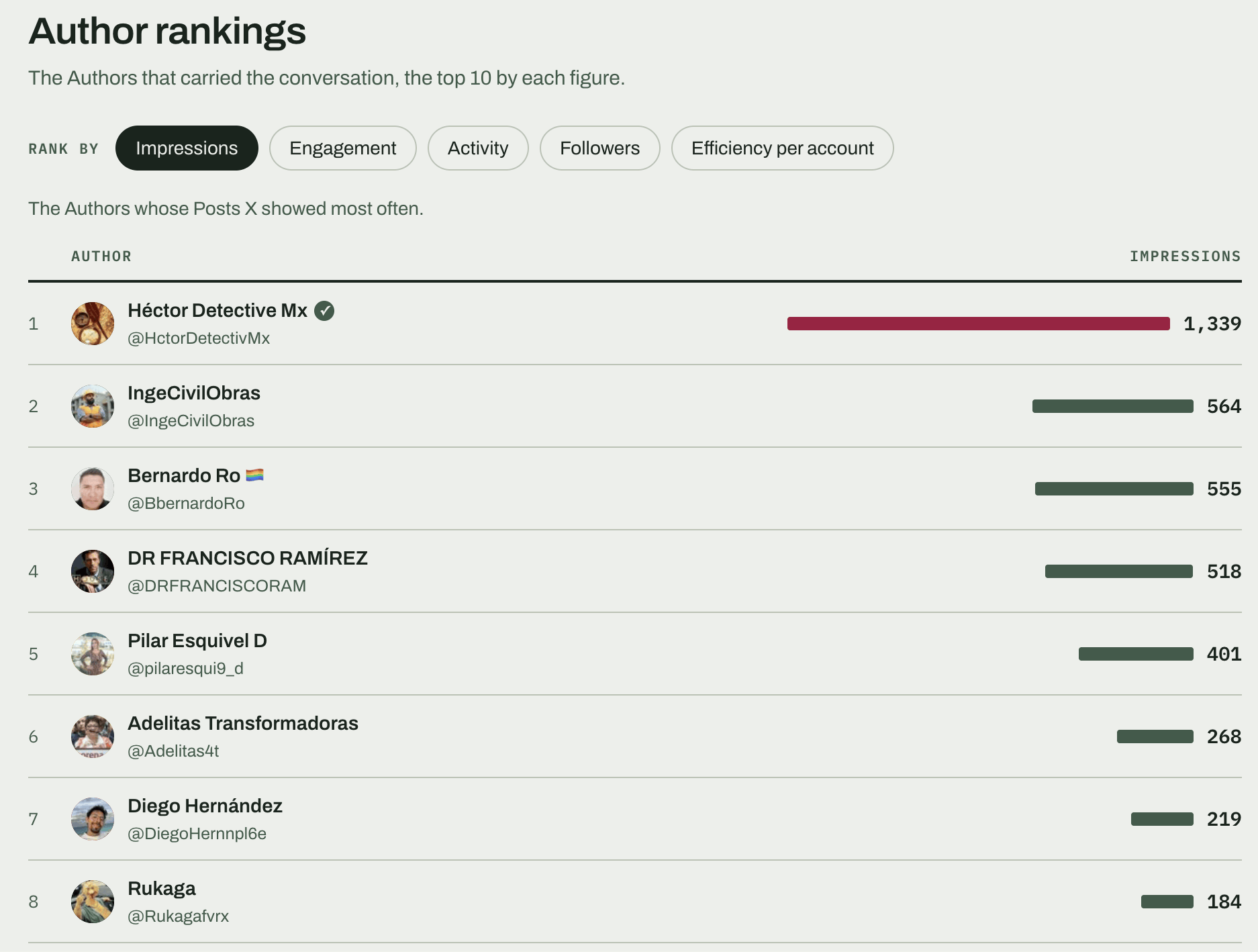
So every report puts the count next to the number of unique users, the most active accounts and the concentration figure, which says what share of the volume came from a small group. If ten accounts produced half the posts you have either a fan club or a coordinated push, and you want to know which before you put the number in a slide.
Counting over time, including hashtags from years ago
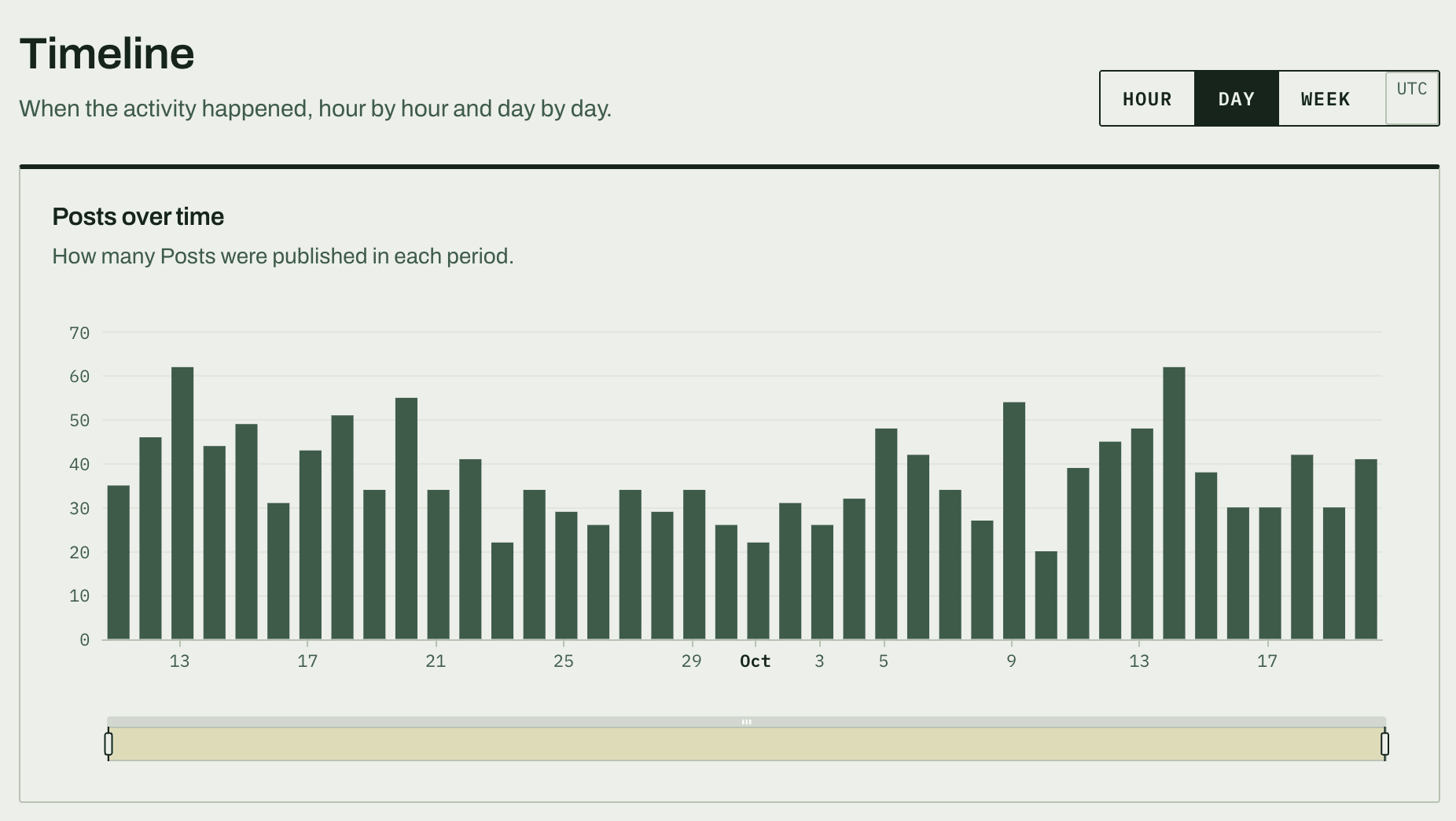
A single total hides the shape. The report splits the count by hour and by day and marks the peak of each, so you can see whether the hashtag had one burst or kept going for a week.
The archive goes back to 2006 with no limit on the date range, so a hashtag that ran three years ago counts exactly the same way as one running today. There is more on that in historical Twitter data.
What comes with the count
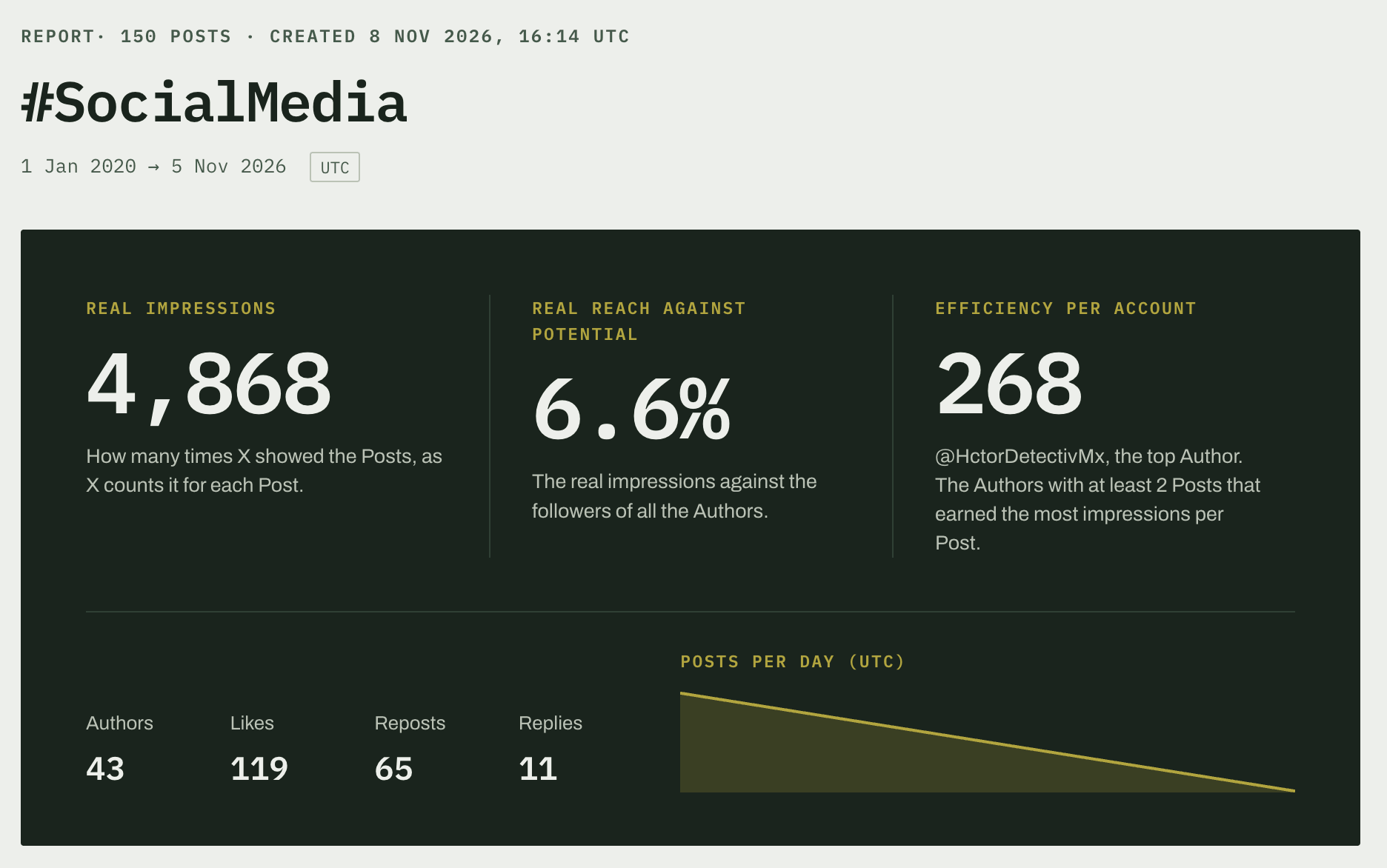
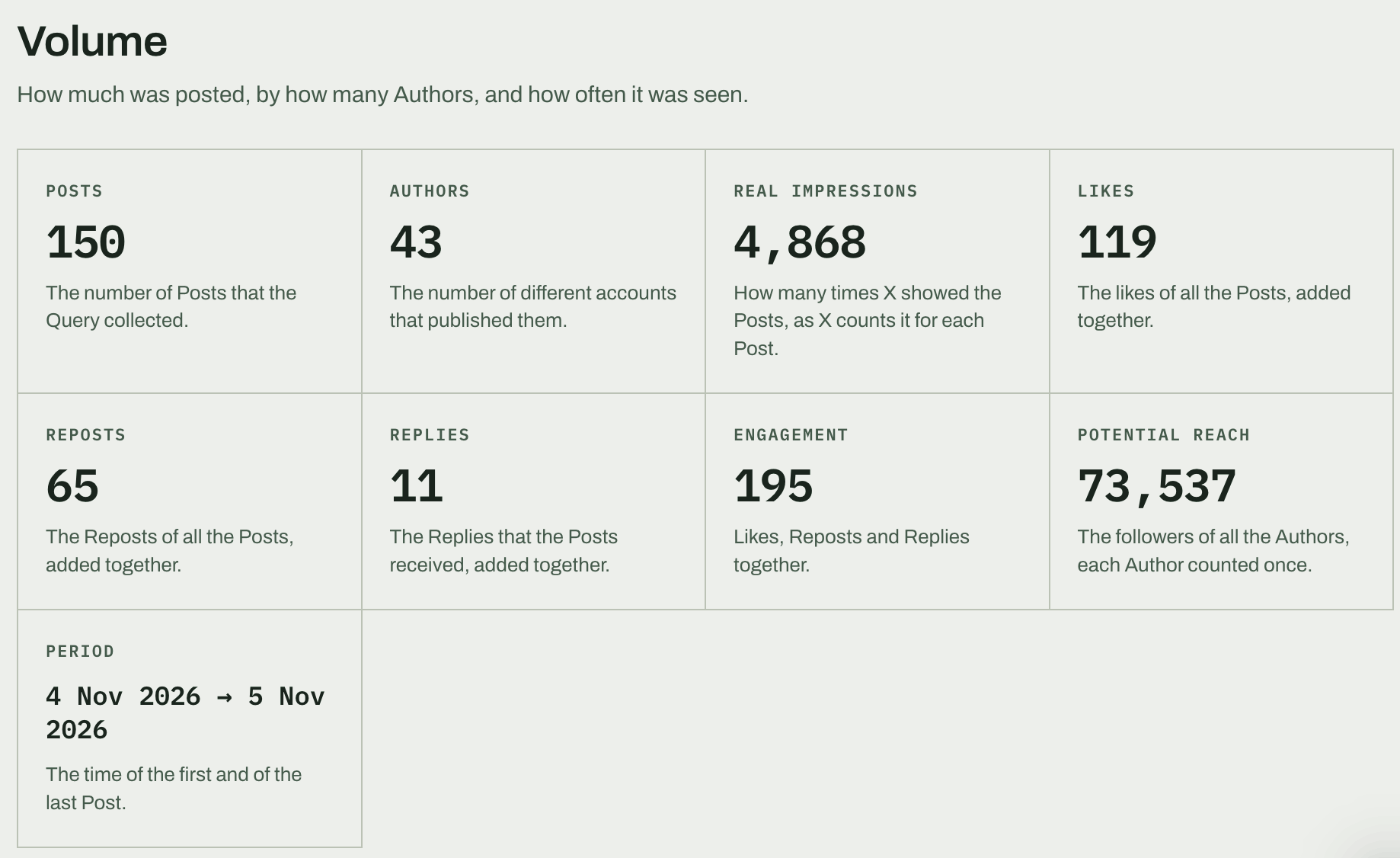
The total is the first line of the report, not the whole of it. Next to it you get impressions counted by X for each tweet rather than estimated, likes, retweets and replies, rankings of tweets and of users, and a CSV with every tweet in it so anyone who doubts the number can recount it themselves.
Plans are priced by tweets analysed, with unlimited reports. If you have no idea how big the hashtag is, run a narrow date range first and look at the volume before you spend on the full period.
Pick a plan and count the first one.